Put the quote form on your website
Updated 26 Aug 2026
Your old enquiry form comes off the page and the CaterCloud one goes on. You paste the code once and never touch it again — prices, packages, questions and colours are all changed inside CaterCloud afterwards, and the form on your site picks the change up within about a minute.
Where to find it
Main nav → Build → Instant quote → Your website
Step by step
- Type your website address into Your website and hit Save and get my code. If the form is going on a page other than your home page, put that page's address in the second box.
- Pick your website builder from the row of buttons. The instructions underneath change to match it — and you get either one block of code or two, depending on which builder you picked.
- Paste the code in, following those steps.
- Delete your old enquiry form from the page.
- Publish the site, then come back and hit Check my install.
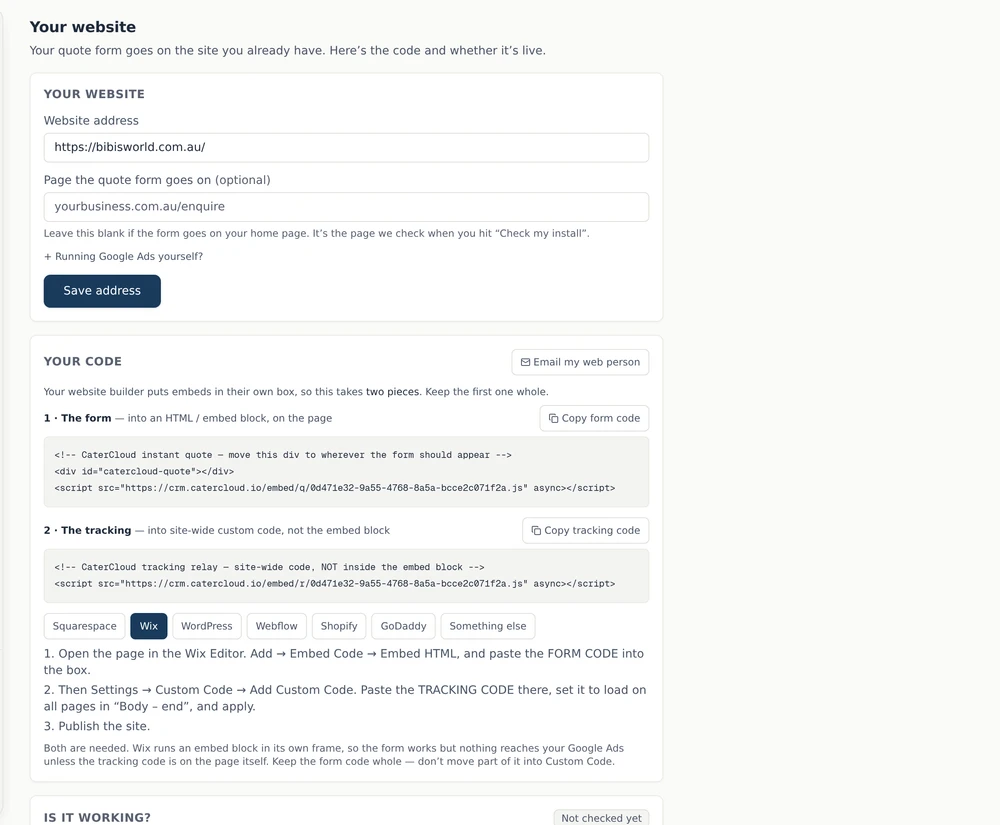
Wix and GoDaddy need two blocks — don't split the first one
Both put an embedded block inside its own sealed window, walled off from the rest of your page. Your enquiries reach CaterCloud either way — but nothing reaches your Google Ads unless the separate tracking code sits on the page itself.
- 1 · The form goes into an HTML or embed block, on the page, where you want the form to appear. Keep it whole.
- 2 · The tracking goes into your builder's site-wide custom code, set to load on all pages.
Moving half of the form code into site-wide code looks sensible and quietly breaks the layout — the form ends up below your footer and the block you placed stays empty.
Every other builder needs the one block only.
Don't edit your own website?
Hit Email my web person at the top of the panel. It sends whoever looks after your site the code and the instructions for your builder, so you don't have to relay any of it.
How you know it worked
Hit Check my install once the site is published. CaterCloud loads your published page and looks for the code, so this is a real check rather than your word for it.
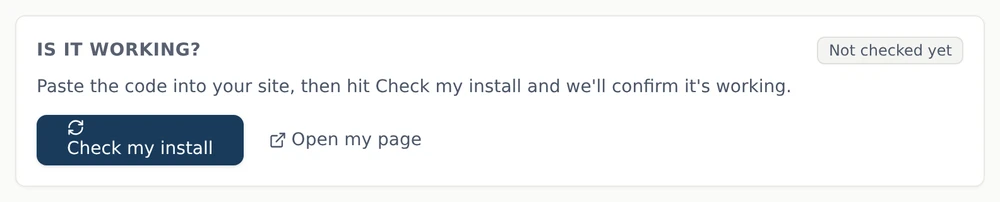
If it stays unconfirmed, it is almost always one of two things: the code is not on the published page (some builders don't run embedded code inside their editor preview — always check the live site), or it is on a different page than the address you entered above.
Send one test enquiry through as well, and confirm it appears in CaterCloud.
Common questions
Do I have to re-paste the code when I change my prices? No. The code points at your widget; the widget reads your live settings. Change a price in CaterCloud and the form reflects it within about a minute.
Can I put it on more than one page? Yes — paste the same form code wherever you want it.
The form appears but it has its own scrollbar. Your builder is framing it the way Wix does. Pick Wix in the builder list to get the tracking code, and add it wherever your builder allows site-wide code.
Still stuck? Open the chat assistant (bottom-right) for help with your specific setup.